” icon. When security has been assigned but
is Inactive a “
” icon. When security has been assigned but
is Inactive a “ ” icon is displayed. When no security is present
this column remains blank.
” icon is displayed. When no security is present
this column remains blank.Browse the FAQ below or jump directly to the section of interest
Q: Why doesn't my action show up on the Home – Actions summary?
A: The Actions that display on the Home - Actions summary screen are those that are due today or are past due. If the due date of the action is in the future, it will not display until the due date.
Q: What is the Client Profiling screen used for?
A: When marketing new accounts for the organization, enter the information on the Profiling screen to pre-qualify the account. This screen is not required.
Q: When adding Security for Client Contacts what is the maximum number of Characters that can be used for the Login ID and Password?
A: Both fields can contain up to 18 alphanumeric characters.
Q: What do the key icons stand for on the Client’s Contacts screen?
A:
When security
has been assigned to a contact and is Active, the column next to Details
displays a “” icon. When security has been assigned but
is Inactive a “” icon is displayed. When no security is present
this column remains blank.
Q: Is there a limit to the number of locations that can be added to a Client record?
A: Unlimited locations may be added for each Client.
Q: What does the “Primary” designation mean on the Client Locations and Contacts screens?
A: The Primary designation is the default address or contact person for communication with the entity.
Q: Is there a limit to the number of Named Insureds that can be added to a Client record?
A: Unlimited Named Insureds may be added for each Client.
Q: Why add Account Relationships?
A: By adding account relationships, you can quickly see if a Personal Lines account is perhaps the owner of one of the Branch’s Commercial Lines accounts. This could be important if the son on the personal auto policy had one too many tickets and the carrier wanted to cancel and the personal lines account manager does not know the commercial lines account exists and allows the cancellation to go through causing the large commercial account to be lost as well. This may not have happened if there had been an Account Relationship association.
Q: Can Policies be assigned to a different Branch, Account Manager and Producer even though the Client was assigned at Client level to another entity in our organization?
A: Yes, even though the policy belongs to one Branch, policies may belong to an entirely different Branch, Account Manager or Producer within your organization.
Q: Can documents, and photos be attached from my local computer?
A: Yes, you may add attachments by clicking on the Attachments tab either at Client or policy level.
Q: I'm unable to edit a policy because the system tells me that there's no policy to edit - why?
A: If there is already a pending edit, you are unable to do another edit until you either abort or post the edit that is already there. Select the Policies tab to see if there is a pending edit.
Q: I am receiving an error when I try to create a certificate - why?
A:
Certificates
 require a signature file
to be attached to the certificate.
require a signature file
to be attached to the certificate.
Q: How are in-force policies added to Nexsure?
A: If no marketing policies exist on the marketing tab a message window is displayed allowing history to be viewed if desired, click the “Cancel” button to add a new market. The “Policy Header” screen is displayed. Complete the heading information and click on the “Save Changes” link below the header. If marketing policies exist, click on the “Servicing” tab, select the “Marketing” radio button and select the “New Line of Business” radio button, the “Next” option will display the “Underwriting” header. Make certain to complete the application prior to clicking the “In Force” link since an “In force” policy may only be edited by accessing the “edit” feature on the “Servicing” tab.
Q: Why can’t I change the policy period on the renewal?
A: The policy period needs to be changed before the renewal is put in-force. If the renewal has already been placed in force, an edit can be done on the policy to change the policy period.
Q: How can in force policies be modified that do not require an endorsement?
A: On the Services tab select the Edit option in the Select column and click Next to continue. Select the policy to edit by selecting the option next to the appropriate policy in the Select column and click Next. Click Post Edit when the edit is completed.
Q: How long can an un-posted edit or endorsement remain un-posted?
A: As long as necessary, however, be aware that policies cannot be edited, endorsed or renewed until the item is posted.
Q: On the Servicing tab, what is the difference between edit and endorsement?
A: Edit allows the user to correct an error that has been made on the policy that does not require an official policy change by the Company.
Endorse allows the user to create a change request to send out to the Company.
Q:
What does
 mean on an un-posted endorsement or edit?
A: This feature is found while editing data on a form. Clicking On will display a comparison of data from the current “in force” policy to the current form that is being edited or endorsed. This will allow the user to see what the differences are between the two.
Q: Must all policies be added as a marketing policy to have a valid in force policy in Nexsure?
A: Yes.
Q: When re-marketing an existing policy, do I need to re-enter all the information that is on the current in-force policy?
A: No, the data on the selected policy to remarket is automatically copied to the Marketing file with exception to some of the Policy Header information. This gives you the opportunity to enter correct marketing information.
Q: I need to send a different version of a policy currently in marketing to another company, how should this be done?
A: Follow the marketing process but select the policy already in marketing and then make the necessary changes to the form prior to submitting to the next carrier.
Q: After a policy has renewed, what should be done with the old Marketing forms?
A:
Once a
policy has been successfully renewed and you no longer have a need for
the marketing forms not used to renew the policy, click on the  icon to remove the form.
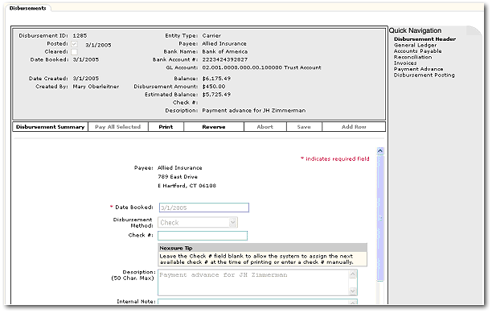
Q: If the agency receives Return Premium from the Carrier for a Direct Bill cancellation, how is this processed in Nexsure?
A: If the agency has never gone through this process before, they would first need to add an asset account and call it “DB Return Premium for Carrier” and propagate to all territories. Then follow the below steps:
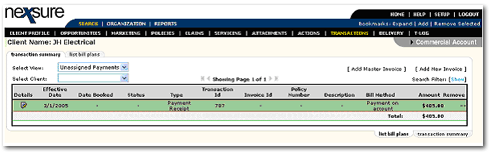
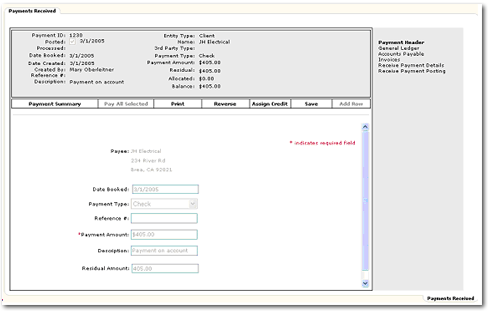
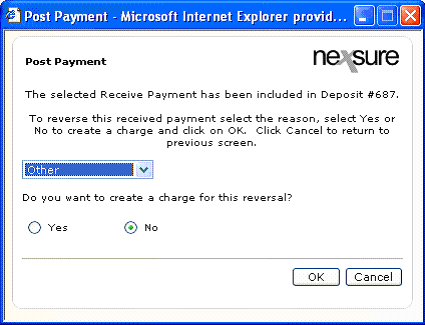
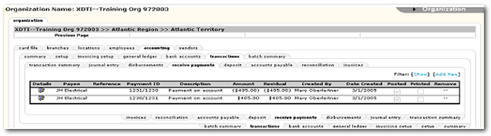
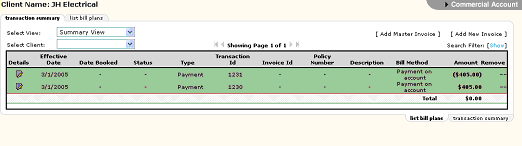
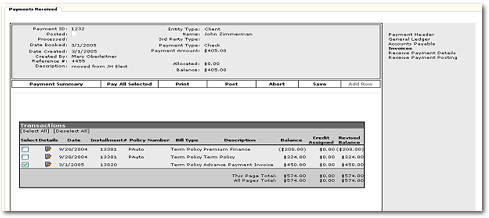
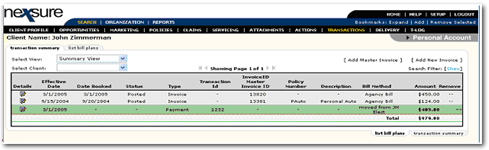
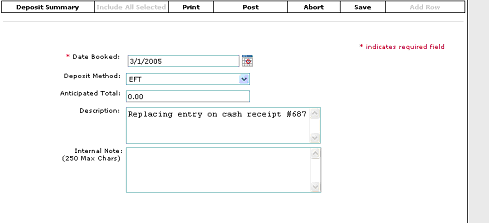
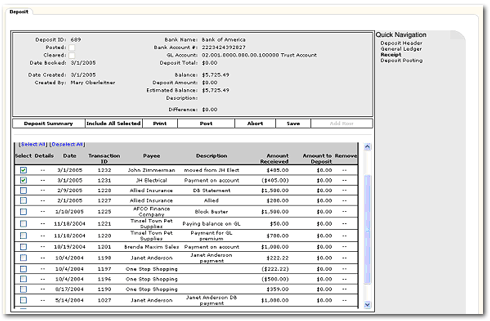
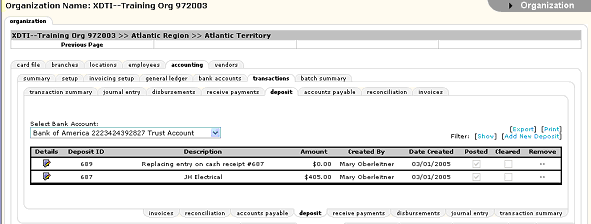
Q: I applied money to the wrong client, can I move it to the proper client?
A:
Yes, click here for the procedure.